PULSE 3D
UNDER THE SURFACE.
Follow the sound. Find the fault.
CFI-ZWH1 · USB adapter CFI-ZWD1
The headset rating label is beneath the right ear cushion. Hold the cushion frame when removing it; do not pull only on the fabric.
This is the PULSE 3D headset, not PULSE Elite CFI-ZWH2, the older Pulse Elite Edition or third-party headsets. Internal cards provide assessment routes where the available source is a teardown rather than a repair manual.
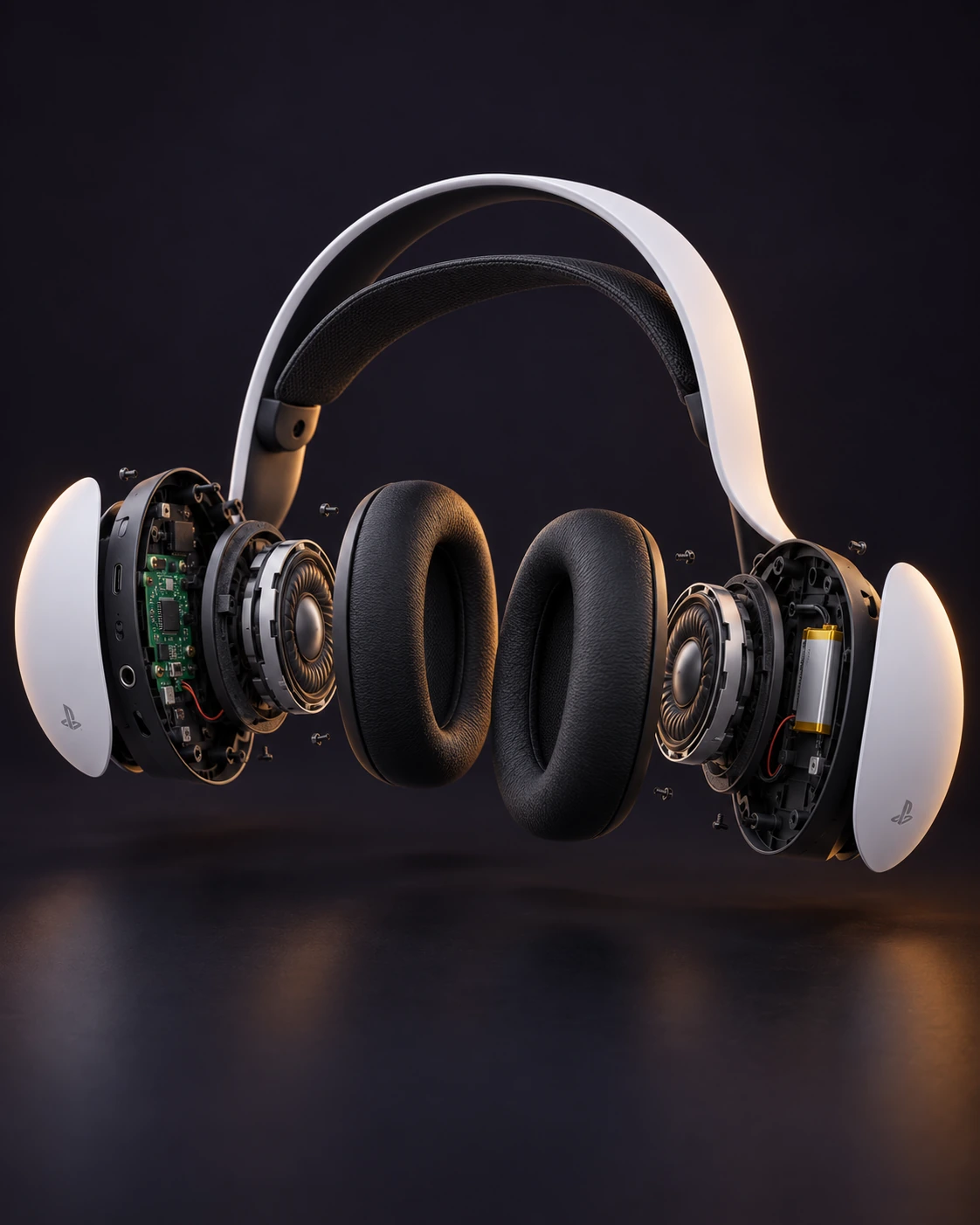
AI-generated product illustration. Internal shapes, positions and fasteners may differ from your actual device.
View photographic technical referencesEar cushions
Unclip the cushion frame and inspect the model label underneath.
Signs to investigate
- Worn cushion surface
- Loose cushion frame
Prepare your bench
- Soft cloth
Component procedure
- 01
Switch off and disconnect the headset. Hold the earcup steady.
- 02
Grip the cushion’s frame and pull it away evenly, keeping force off the fabric.
- 03
Inspect the mounting frame. Align the compatible cushion with the inner frame and press until its clips engage.
Stop if the frame starts to crack. PULSE Elite cushions are a different assembly.
The frame is secure around the entire earcup and the cushion forms an even seal.
Restore all covers, shielding and cable routing before powered tests. Keep each screw in its original position. If fit or resistance changes, reopen and inspect rather than tightening harder.
Technical reference & evidence
Original notes by VICEPULSE, checked against the reference below. These are concise component notes; use the matched photographic reference for exact fastener locations and connector details. The AI-generated product render is illustrative, not a service drawing.
Sony PULSE 3D instruction manual ↗Source-checked on 31 October 2026. VICEPULSE has not bench-tested this procedure. Internal part fit must be verified against your actual revision.
All PULSE 3D component guides
Unclip the cushion frame and inspect the model label underneath.
Read guide ↗01 / ComfortSuspension band and outer frameInspect comfort-band damage separately from the structural headband.
Read guide ↗02 / Acoustic faceLeft and right acoustic driversCheck the acoustic path before internal driver work.
Read guide ↗03 / Right earcupBattery and right-earcup interconnectSeparate charging faults from battery deterioration.
Read guide ↗04 / Left earcupMainboard, USB-C and audio socketLocalise a port fault before board-level repair.
Read guide ↗05 / Voice & controlsMicrophones and control assemblyRule out settings before opening the voice or button assemblies.
Read guide ↗06 / Wireless linkWireless USB adapterReset the headset link before assuming the adapter needs replacement.
Read guide ↗