PlayStation 5
UNDER THE SURFACE.
From the outer panels to the thermal core.
Original Disc Edition · CFI-10xxA
Read the CFI model on the console label before opening. These internal guides target the 2020 Disc Edition (CFI-10xxA).
CFI-11xx, CFI-12xx, Slim CFI-20xx and Pro CFI-70xx have different internal layouts. Do not transfer screw maps or drive procedures between revisions. Sony’s M.2 reference includes separate model instructions.
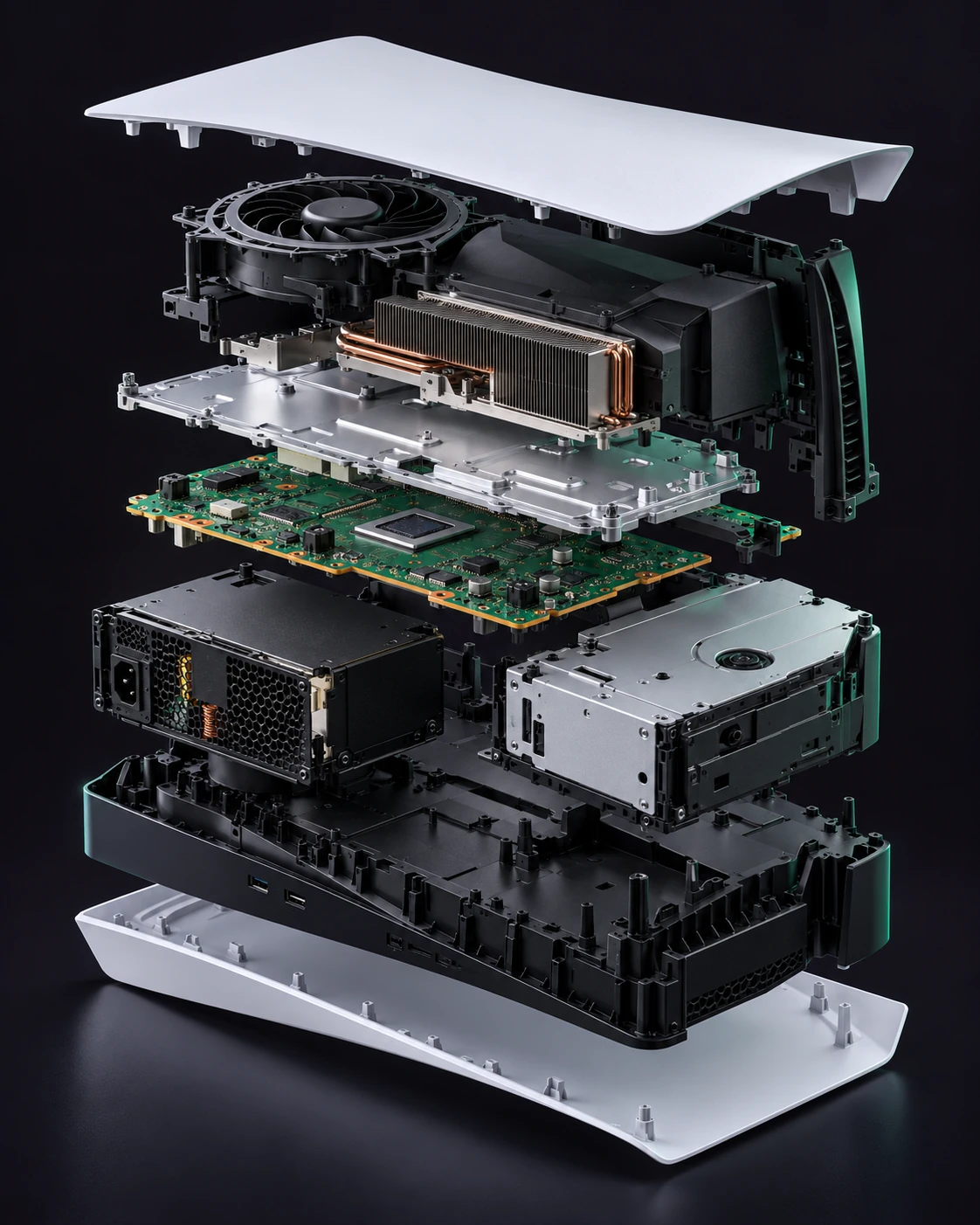
AI-generated product illustration. Internal shapes, positions and fasteners may differ from your actual device.
View photographic technical referencesOuter covers
Remove the two exterior panels without opening the electrical assemblies.
Signs to investigate
- Cracked panel
- Broken mounting tabs
Prepare your bench
- Soft work mat
Component procedure
- 01
Fully shut down, unplug every cable and let the console cool. Remove the base and place the console on a soft flat surface.
- 02
Match the CFI-1000 orientation in Sony’s cover reference. Release the indicated corner slightly, then slide the panel along its hooks rather than bending it outward.
- 03
Inspect the hooks and clear loose debris. Align a matching panel with the hooks and slide it until seated; repeat for the other side if needed.
Stop if the panel resists sliding; confirm orientation instead of forcing the hooks.
Both panels sit flush and remain secure when the console is repositioned.
Restore all covers, shielding and cable routing before powered tests. Keep each screw in its original position. If fit or resistance changes, reopen and inspect rather than tightening harder.
Technical reference & evidence
Original notes by VICEPULSE, checked against the reference below. These are concise component notes; use the matched photographic reference for exact fastener locations and connector details. The AI-generated product render is illustrative, not a service drawing.
PlayStation Support ↗Source-checked on 31 October 2026. VICEPULSE has not bench-tested this procedure. Internal part fit must be verified against your actual revision.
All PlayStation 5 component guides
Remove the two exterior panels without opening the electrical assemblies.
Read guide ↗01 / ExteriorBase and stand screwRemove, inspect and refit the original console base.
Read guide ↗02 / Service accessM.2 expansion SSDInstall or remove the expansion drive; this is separate from the soldered internal storage.
Read guide ↗02 / Service accessCooling fanRemove the original-model fan for cleaning or a matching replacement.
Read guide ↗03 / Front controlsFront USB boardReplace the front USB assembly after ruling out cable and device faults.
Read guide ↗03 / Front controlsPower and eject boardService the separate front-button board on the original Disc Edition.
Read guide ↗03 / Front controlsStatus-light boardService the lighting assembly after checking whether the console otherwise operates.
Read guide ↗04 / Drive & powerDisc-drive mechanism and laserA mechanical or optical repair must preserve the original paired drive electronics.
Read guide ↗04 / Drive & powerEnclosed power-supply moduleReplace the enclosed module only after a technician confirms the power fault.
Read guide ↗05 / Logic boardMainboard, HDMI and onboard storageHDMI and internal flash are board-level components, not plug-in replacement modules.
Read guide ↗06 / Thermal coreHeatsink and thermal interfaceThe processor uses a conductive liquid-metal interface beneath the cooling assembly.
Read guide ↗